Powered By Olvy
With one click, your shop automatically translates all of its content into multiple languages via AI, so customers in other countries can buy from you more easily. Pages, product data and every other text in your shop are translated in one go, so you no longer have to do anything by hand. The technology behind it comes from DeepL, one of the leading providers of AI translation.
With a multilingual shop, you can enter new markets and reach around 450 million people in the EU alone.
You can find the
To support the new EU information requirements, the shop software now provides two additional ways for communicating statutory rights and manufacturer guarantees.
Merchants can now provide the legal guarantee notice to inform customers about their rights.
For products covered by a manufacturer’s durability guarantee of more than two years, merchants can add the GARAN label directly to products.
You can assign a default customer group to newly registered customers and a separate group to customers who check out as guests. This allows you to offer customer group-specific discounts across your entire product range. For example, you can reward registered customers with an exclusive discount and encourage more shoppers to create an account.
Customers can now save and manage multiple delivery addresses, including Packstation addresses, in their customer account. During checkout, they can simply select their preferred delivery address instead of entering the details again. This makes repeat purchases faster and more convenient.
From 19 June 2026, shops selling to customers in the EU must offer a clearly visible withdrawal option.
The new withdrawal button in the footer of the shop gives customers a direct way to withdraw from an order. Instead of writing an email and looking up the correct address, they just have to click the button and confirm a few details.
With the new age confirmation app, you can add a pop-up to your store that requires visitors to confirm they have reached the required minimum age. This is especially useful if you sell age-restricted products such as wine, spirits, or e-cigarettes.
The start page of your administration area now features a new dashboard that shows today's revenue, today's orders, and best-selling products at a glance. Also new: a dedicated statistics page where you can dive deeper into your shop's performance.
With the new setting for themes with a full-width header, you can choose whether the header stays visible at all times or only appears when scrolling up. This gives your customers quick access to the menu, searchbar, customer area, and basket.
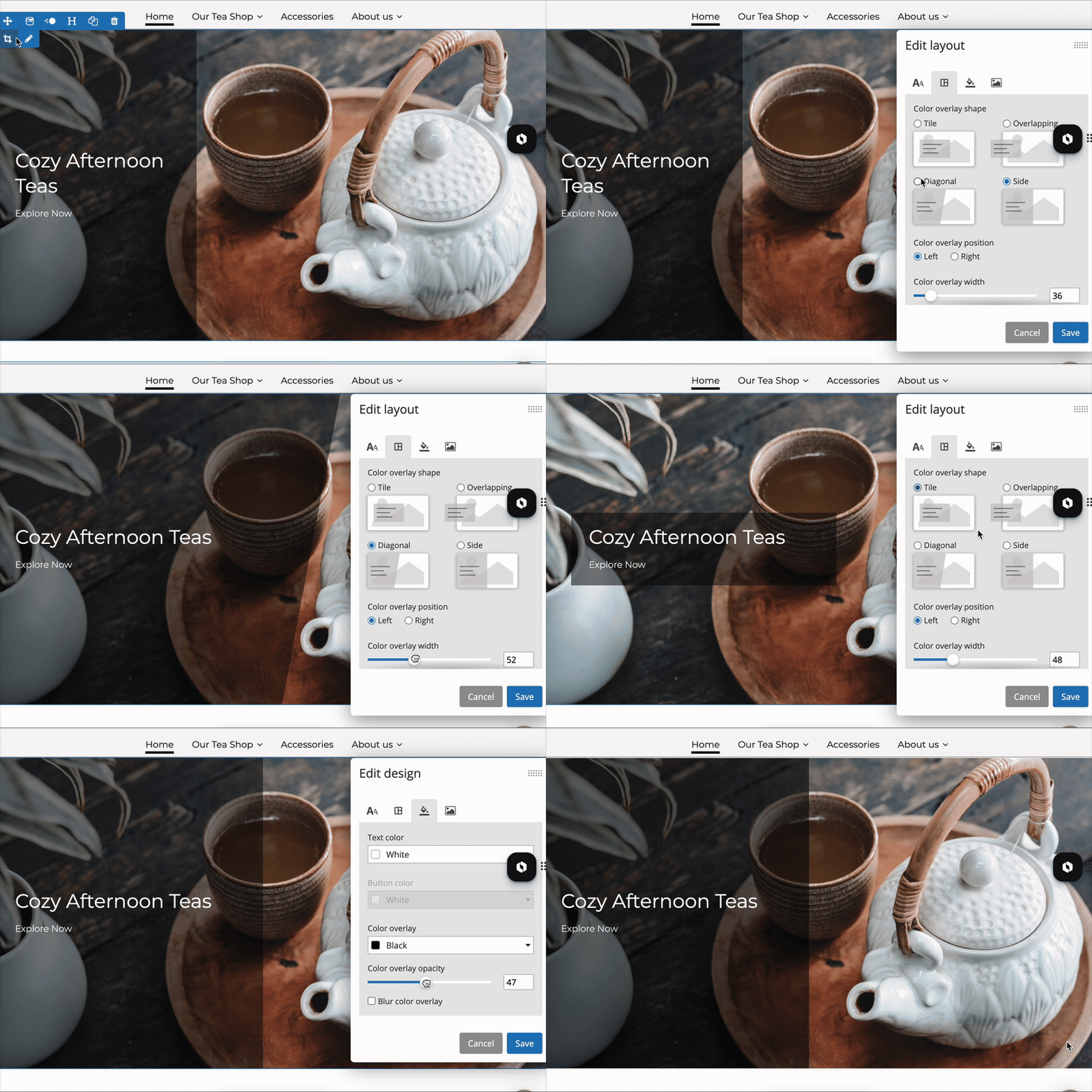
You can now add background images to content elements in the editor, giving you more creative freedom when designing your pages. A unified settings layer for solid colors, gradients, and images is available, along with an adjustable black overlay to keep text easy to read.
Your website’s first impression just got a major upgrade: our new banner image content element makes it easy to create a modern, eye-catching look.